myesp
Main menu:
Inventory Management
Modules
1. Working principles
- The term is applied to stock products (articles) which can be goods, raw materials, fixed assets, and inventory and in some cases, exceptional services.
- Inventory control is based on operations and documents articles which can be grouped by the type of the document in: input documents, output documents, import-export, transfer documents, the special documents for services, and many other types.
- Evidence of stocks is relative to management (location) or a locations group.
- Operations or documents can draw on an unlimited number of management based on certain events: Contracts, orders, forecasts, quantity in transit (during transport), etc.
- The stocks are described by unique properties such as: Category, Group, Subgroup, Brand, Name, Code, Unit, Price List, currency, manufacturers, etc.
- Depending on the application module, an article may have an unlimited number of descriptive properties. Some examples of the other descriptive properties: Color, Size, Weight, Volume, Low Stock, High Availability, etc.

2. Facilities for Inventory Management
- For ease of inventory records are complex integrated tools for filtering / search in the database
1. Quick Filter by group management, management, name, code, account, etc
2. Filter by any field descriptive article of stock or a combination of fields
- The control of series, warranty period and expiration term of the products (items )
- The control of the current stock or at specific date.
- Evidence of stock after lots of articles or items regardless of cumulative lot.
- Possibility to make reservation of inventories after multiple criteria (orders, forecasts, etc.)
3. Analysis, Reports and Statements for Stocks
1. Stock list the locations (management)
2. Stock list the items or lots
3. Inventory lists
4. Stock balance
5. Stock records
6. Sales Analysis
7. A-B-C Analysis
8. Clear items with stocks and prices
9. Automatic generation of the labels (price, etc) with or without bar codes on items in stock
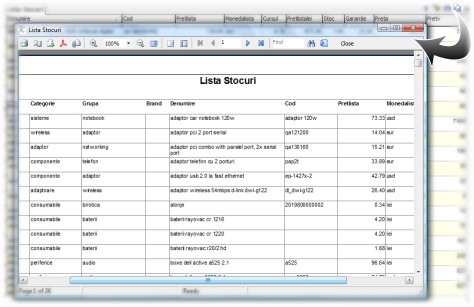
10. Quick Report based on the selection of fields in the grid
11. Reports are customizable and can be created depending on the customization required an unlimited number of reports
Reports such QuickRaport are tabular form and contain the user selected data selection tools (filtering fields, hide fields, summarizing the numeric fields, etc.) All reports (predefined or QuickRaport) have export facilities formats: HTML, PDF, Excel, CSV, RTF, BMP, JPG, TIF, GIF, TXT.
All reports are integrated option mailed directly from the application (requires configuration postal address which is sending emails)
Sub-Menu:
